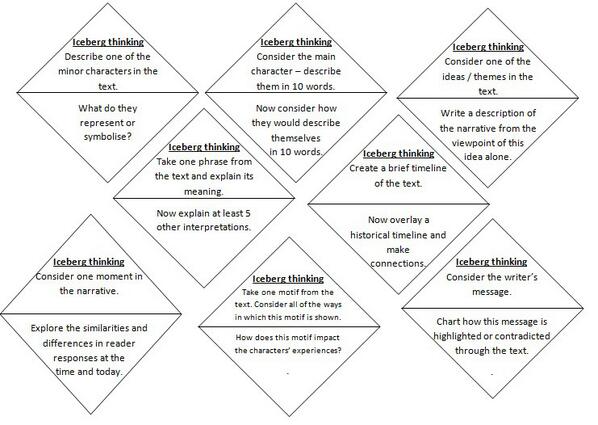
Resources
Create your own overlays- such as…

Guest post by @JamieClark85
This example by @MrsMathia is one that has been made up after reading this very post! Click hereCreate your own overlays- such as…

What to do:
Create your own overlays which can be printed in A4 or A3 size and can be placed over any text. They can be adapted and edited for any subject area and are an engaging way to support students with the tools required for analysis of texts (including exam questions)
Within English, the ‘GCSE Anthology Poetry Desk’ overlay was effective in encouraging students to respond in a more developed and sophisticated way by thinking carefully about language, themes and structure. The QR codes link to exemplar A* material and ‘Dynamite Paragraph’ techniques to support and stretch students’ responses.
Variations:
- Get students to create their own?
Guest post by @JamieClark85

[learn_press_profile]